Fundamentals of Map Design

Last updated on 2026-03-27 | Edit this page

Overview

Questions

  • What is a map and what makes it effective?
  • How do visual hierarchy and design influence interpretation?
  • How should colors and symbols be used in maps?
  • What are map scales and projections, and why do they matter?
  • What are common thematic map types and when should you use them?
  • Should your map be static or interactive?
  • How should data be classified for choropleth maps?

Objectives

  • Understand the core components of a map
  • Apply visual hierarchy principles to improve clarity
  • Choose appropriate colors, scales, and projections
  • Identify and use different thematic map types
  • Decide between static and interactive maps
  • Select appropriate classification methods for data

What is a Map?


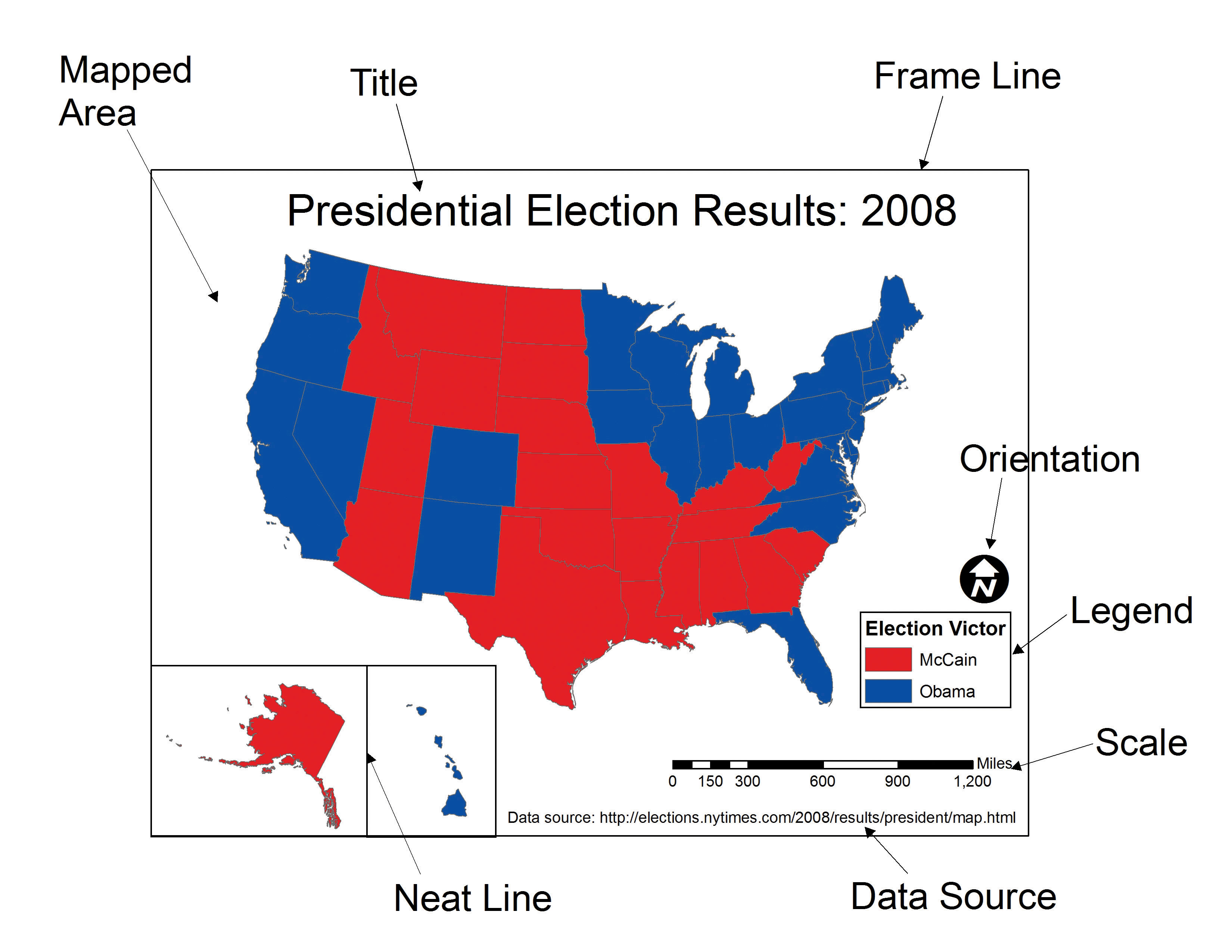
A map is a visual representation of spatial data designed to communicate information about locations, patterns, and relationships.

A good map:-

  • Has a clear purpose
  • Accurately represents data
  • Is easy to interpret
  • Minimizes misleading elements
  • Has all the key map elements
To have every map element is necessary to convey the correct information to the audience. You do not want to mislead the audience/observer.
Callout

Key Idea

A map is not just a picture — it is a communication tool.


Visual Hierarchy


Visual hierarchy controls what the viewer sees first, second, and last.

How to create hierarchy:

  • Size → larger elements draw attention
  • Color → brighter or contrasting colors stand out
  • Position → central elements are noticed first
  • Contrast → strong differences highlight importance

Example:

  • Main data layer → bold colors
  • Background (basemap) → muted tones
  • Labels → readable but not overpowering
Discussion

Challenge

Look at a map and ask: What do you notice first? Is that what the mapmaker intended?


Variables in Mapping


Cartographic variables (visual variables) represent data visually.

Common variables:

  • Color (hue, lightness)
  • Size
  • Shape
  • Orientation
  • Texture

Use cases:

  • Quantitative data → size, lightness
  • Categorical data → distinct colors, shapes

Colors on Maps


Color choice is critical for readability and accuracy.

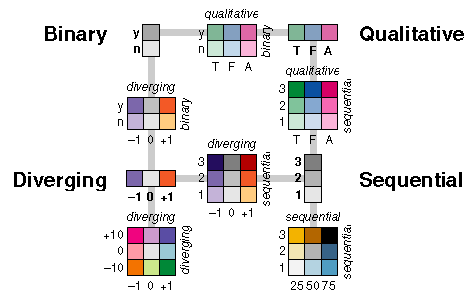
Types of color schemes:

  • Sequential → low to high values (e.g., light → dark)
  • Diverging → values around a midpoint (e.g., blue–white–red)
  • Categorical → distinct groups
Examples of different color palettes with each having its own unique usage. If not used correctly, the representation of a dataset can be inaccurate.

Best practices:

  • Avoid overly bright or clashing colors
  • Use colorblind-friendly palettes
  • Ensure contrast between classes
Callout

Tip

Use lighter colors for lower values and darker colors for higher values in most cases.


Scale


Map scale defines the relationship between distance on the map and distance in reality.

Types:

  • Large-scale maps → small area, high detail (e.g., city map)
  • Small-scale maps → large area, less detail (e.g., world map)

Why it matters:

  • Determines level of detail
  • Affects interpretation of patterns

Projections


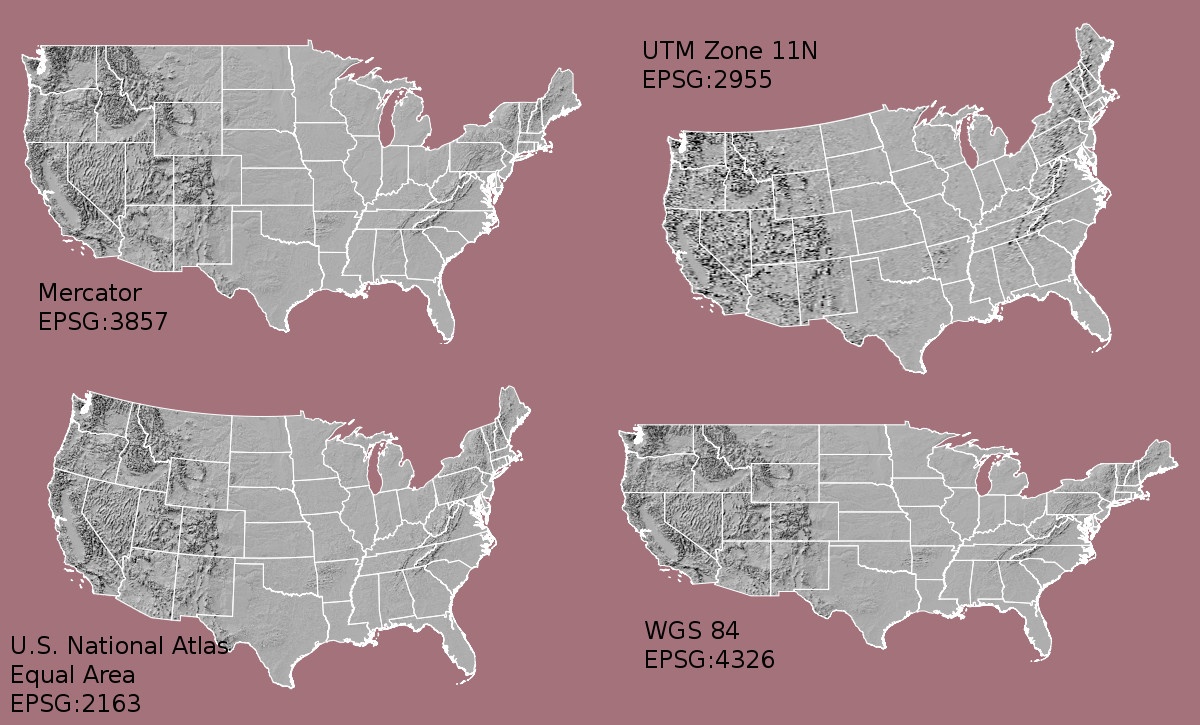
A projection transforms the Earth (a sphere) onto a flat surface.

Key issue:

All projections introduce distortion in: - Area - Shape - Distance - Direction

Examples:

  • Equal-area → preserves area
  • Conformal → preserves shape
  • Equidistant → preserves distance
Examples of different projections and their names with each having its pros and cons. Each have their own usage to best represent a specific data.

Check here to play around how Mercator Projection effects size of countries. You can move each countries across latitudes to compare its true size with another country.

Tip: Try selecting Russia and drag it all the way down to where Africa is. You will be amazed by the result!

Callout

Important

There is no “perfect” projection — only projections suited for specific purposes.


Labeling and Legends


Labels and legends help users understand your map.

Labels:

  • Clear and readable
  • Avoid overlap
  • Use hierarchy (important places larger)

Legends:

  • Explain symbols and colors
  • Keep simple and intuitive
  • Include units where necessary

Thematic Map Types


Choropleth Maps

Used to show values aggregated by regions (e.g., counties, states).
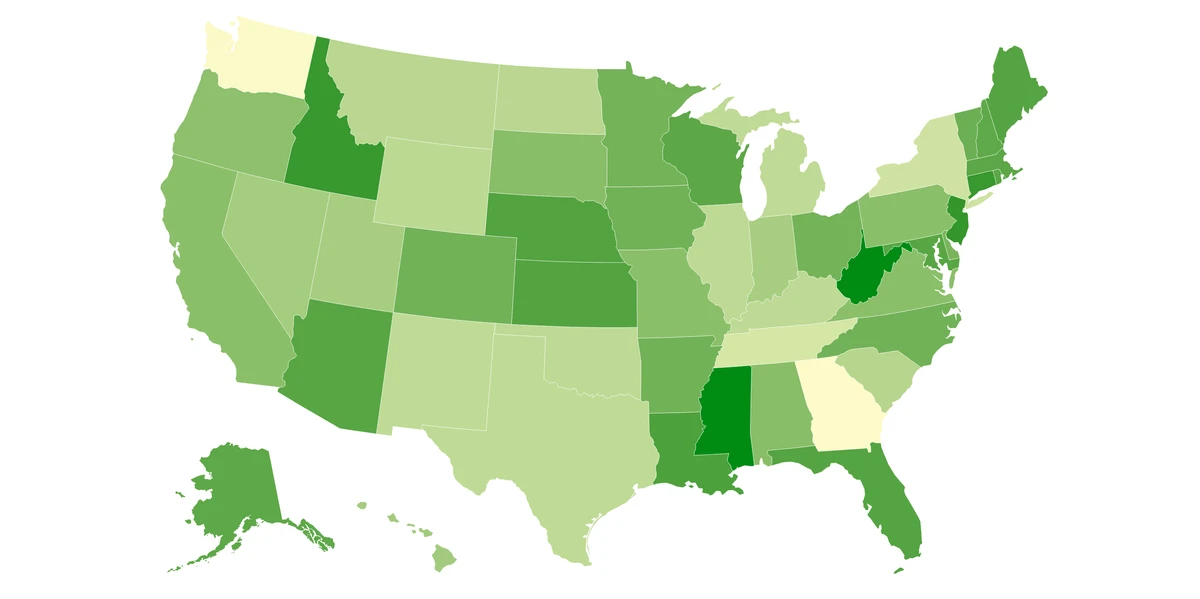
A map different states in the USA as shades of green.

Best for: - Rates, ratios, normalized data (e.g., per capita)

Avoid: - Raw counts (can mislead due to area size)


Proportional Symbol Maps

Symbols sized according to data values.
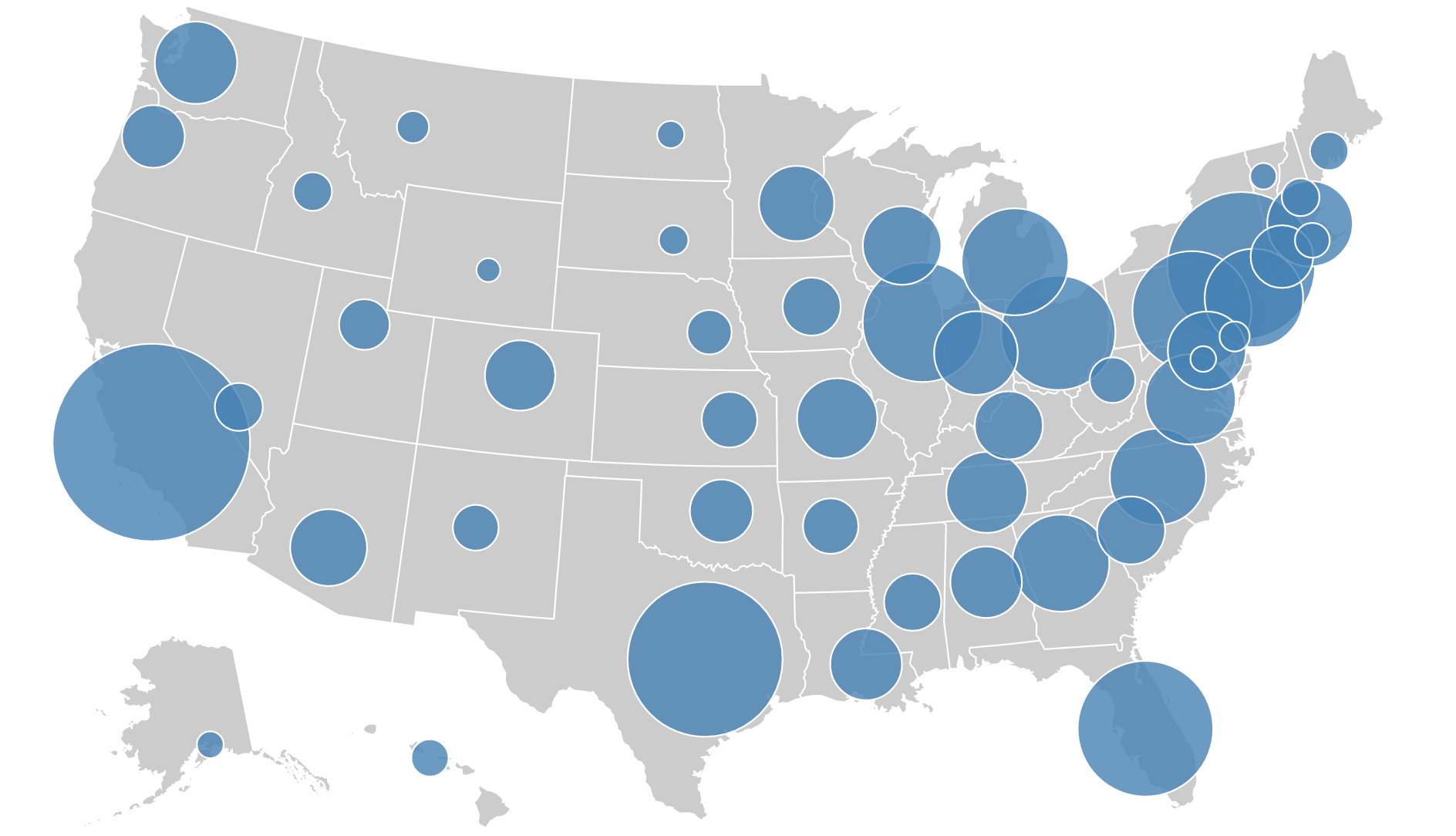
A map showing varying sizes of circles as a function of population in the USA. Bigger the circle means more population.

Best for: - Comparing magnitudes across locations


Dot Density Maps

Dots represent occurrences or quantities.
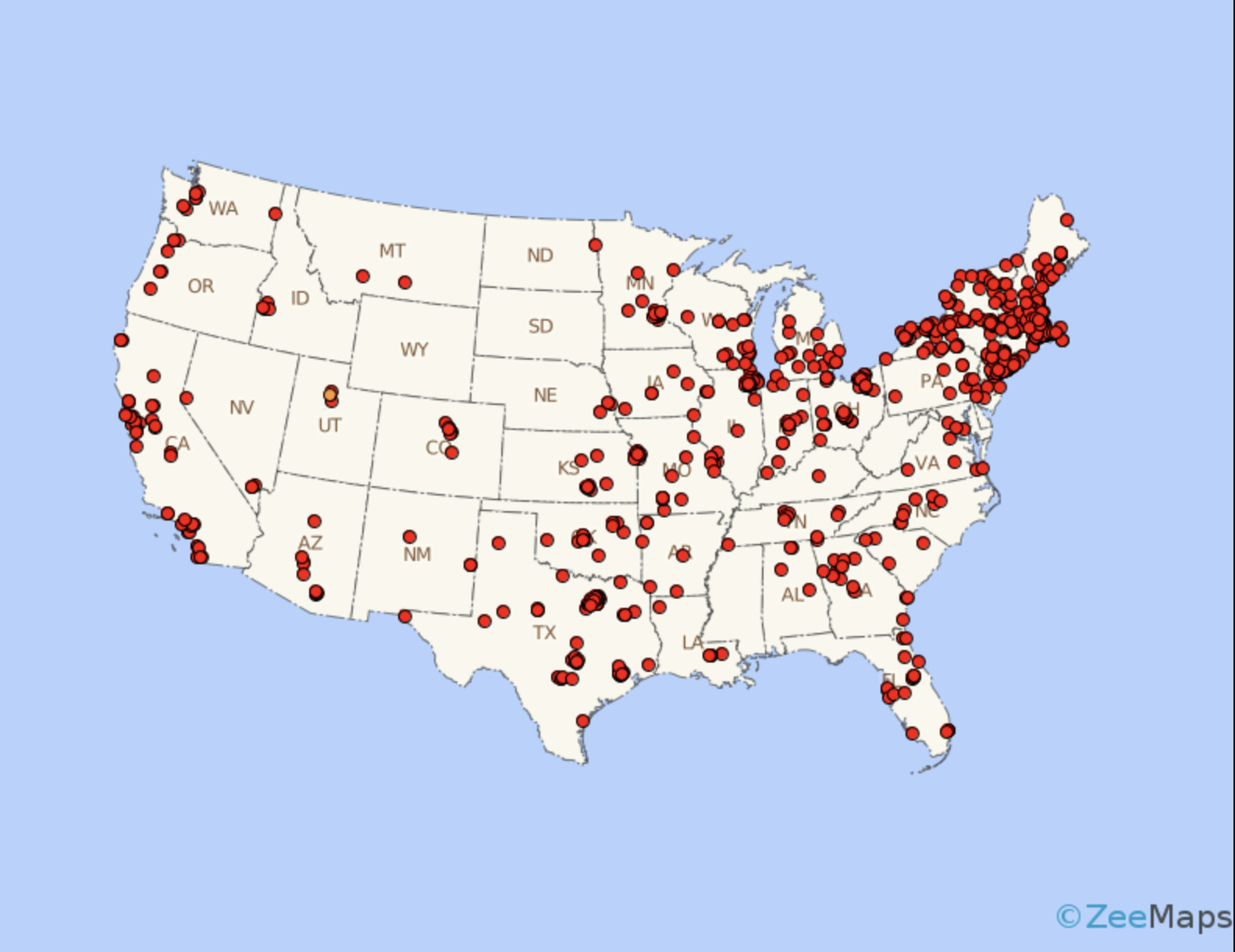
A map showing density of a variable as a function of number of dots in an area in the USA. More dots in an area means a greater influence of that variable.

Best for: - Showing distribution patterns
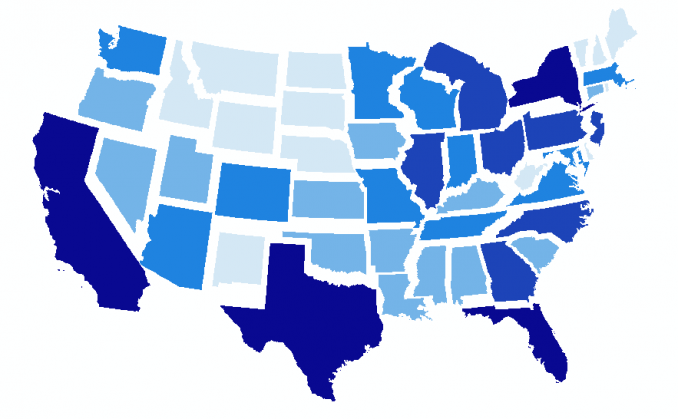

Non-Contiguous Cartograms

Regions resized based on data values.

A map different states in the USA clearly separated by a gap in order to avoid distortion such that recognizable shapes can be made. This looks good visually.

Best for: - Emphasizing magnitude over geography


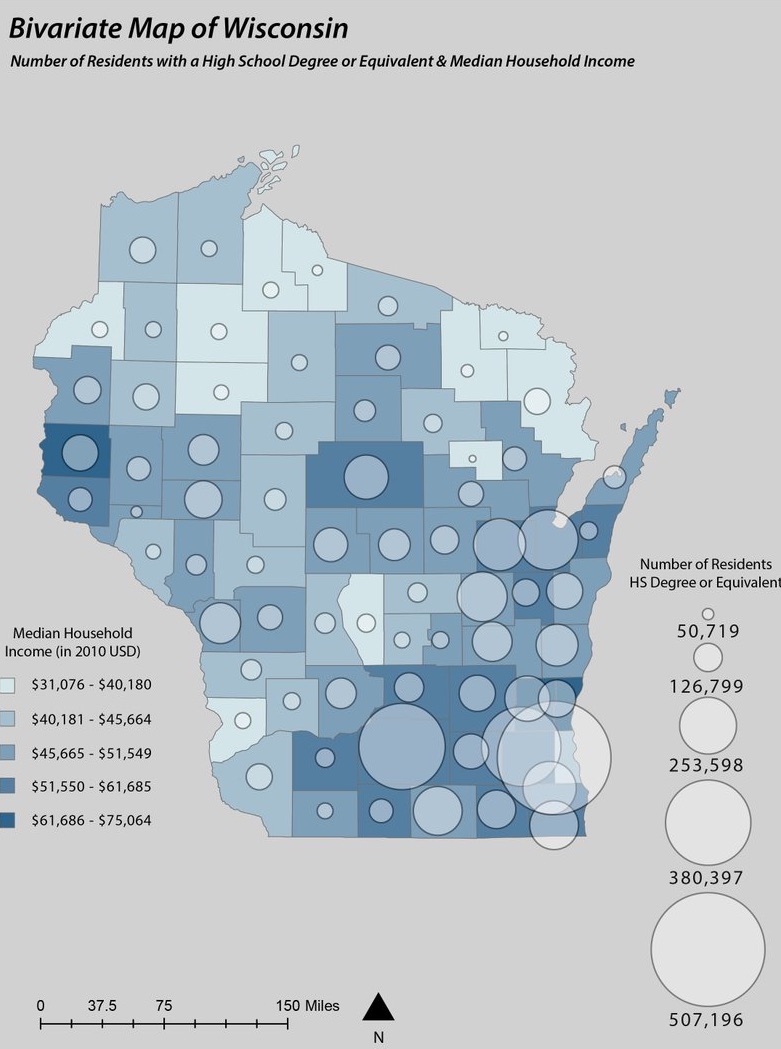
Multivariate Maps

Show multiple variables at once.

A map showing both choropleth and dot density being implement with each showcasing a different variable best suited to it.

Best for: - Exploring relationships between variables


Static vs Interactive Maps


Static Maps:

  • Fixed image
  • Best for print and reports
  • Easier to control design

The map images that we have shown above are all examples of static maps.

Interactive (Web) Maps:

  • Allow zooming, filtering, tooltips
  • Ideal for exploration
  • Require more development effort

See here. Scroll down and you should see an interactive map of West Lafayette that we implemented in our website!

What is a Web Map?

A web map is an interactive map delivered through a browser.

Examples include: - Zoomable maps - Layer toggles - Hover/click information

Callout

Guideline

Use interactive maps when users need to explore data.
Use static maps when you want to communicate a single message clearly.


Data Classification Methods


Classification determines how numeric data is grouped into categories.
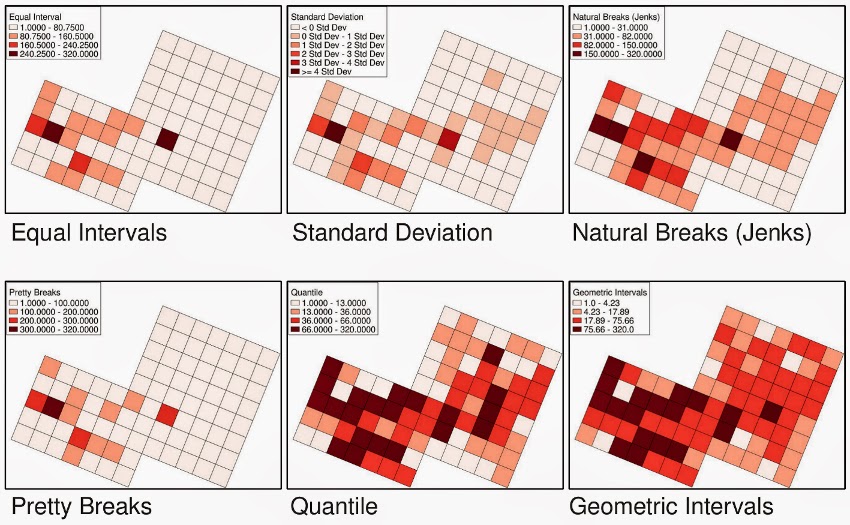
Equal Interval

  • Divides range into equal-sized bins
  • Best for evenly distributed data

Quantile

  • Each class has the same number of observations
  • Best for comparing relative rankings

Natural Breaks (Jenks)

  • Minimizes variance within classes
  • Best for clustered data

Standard Deviation

  • Shows deviation from the mean
  • Best for highlighting extremes

See how choropleth map is effected when using different classifications. Each classification as a certain use case scenario.

Choosing the Right Classification


Method Best Use Case
Equal Interval Uniform distributions
Quantile Ranking/comparison
Natural Breaks Uneven, clustered data
Standard Deviation Highlighting anomalies/outliers

Beginner Recommendation: Start with Natural Breaks (Jenks) — it usually gives the most honest visual pattern.

Discussion

Challenge

You are mapping income data with strong clustering.
Which classification method would you choose and why?

Discussion

Challenge

You have U.S. county median household income data ranging from $25k to $150k with a strong cluster around $55k–$70k.

Which classification method would you choose and why?


Final Takeaways


  • Maps are communication tools — design intentionally
  • Choose map types based on your data and message
  • Use classification methods carefully to avoid misleading results
  • Always consider your audience and purpose
Discussion
  • When might an interactive map be worse than a static map?
  • How can classification choices change the story your map tells?