
All Images
Introduction to Data VisualizationModule Overview
Cartography Checklists
Figure 1
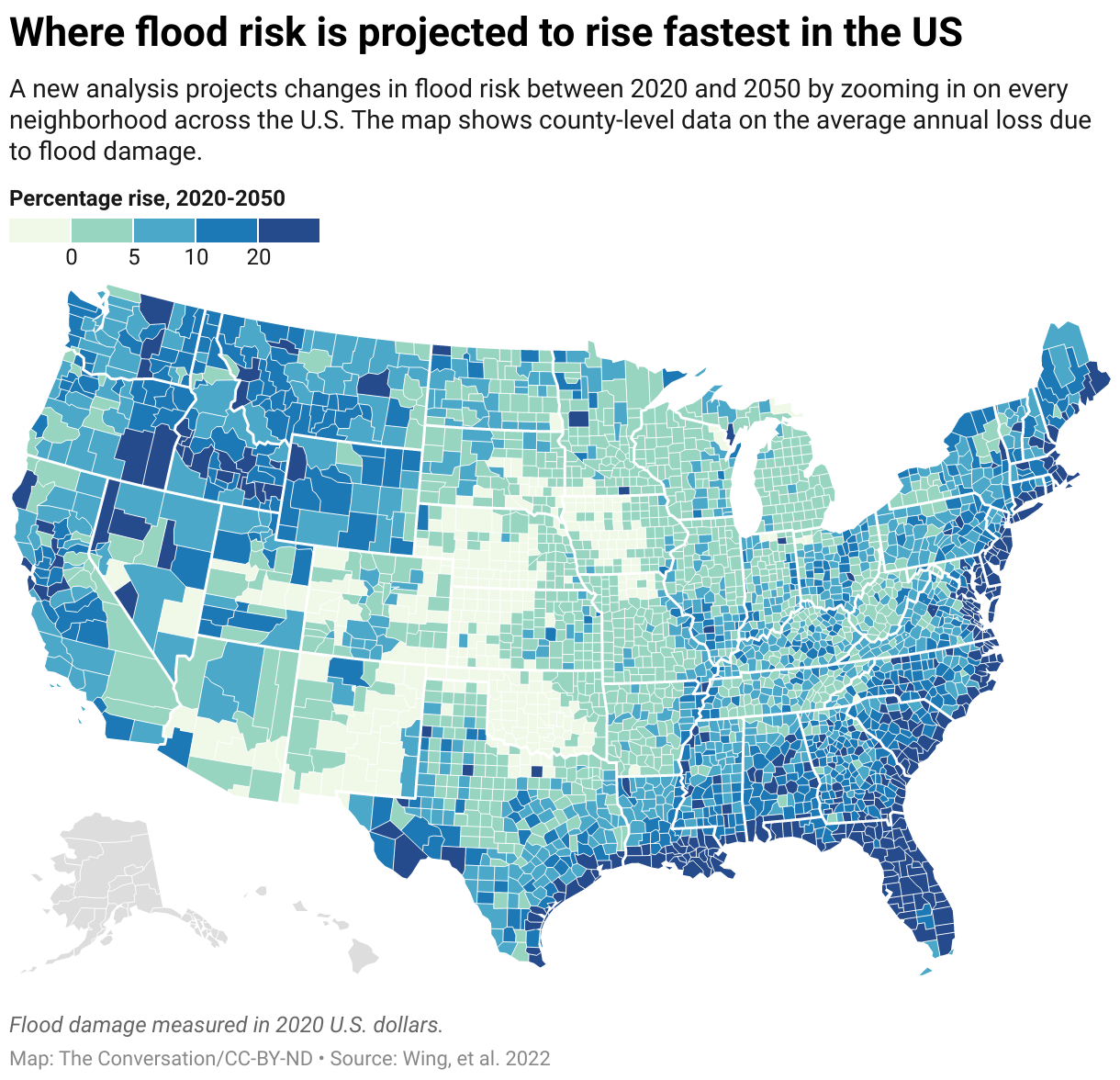
Flood-Risk USA Map
Figure 2
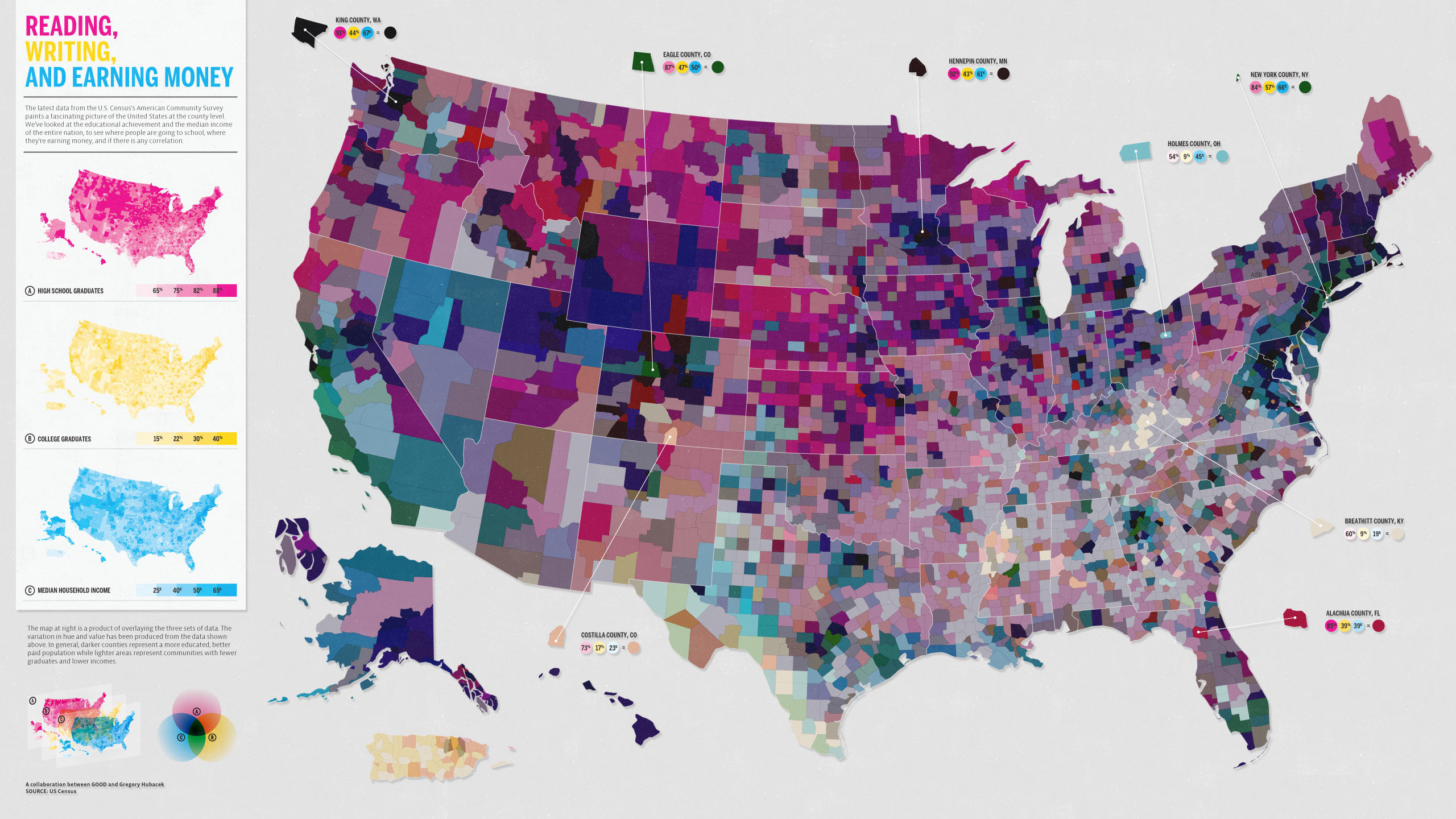
Bad USA Map
Figure 3
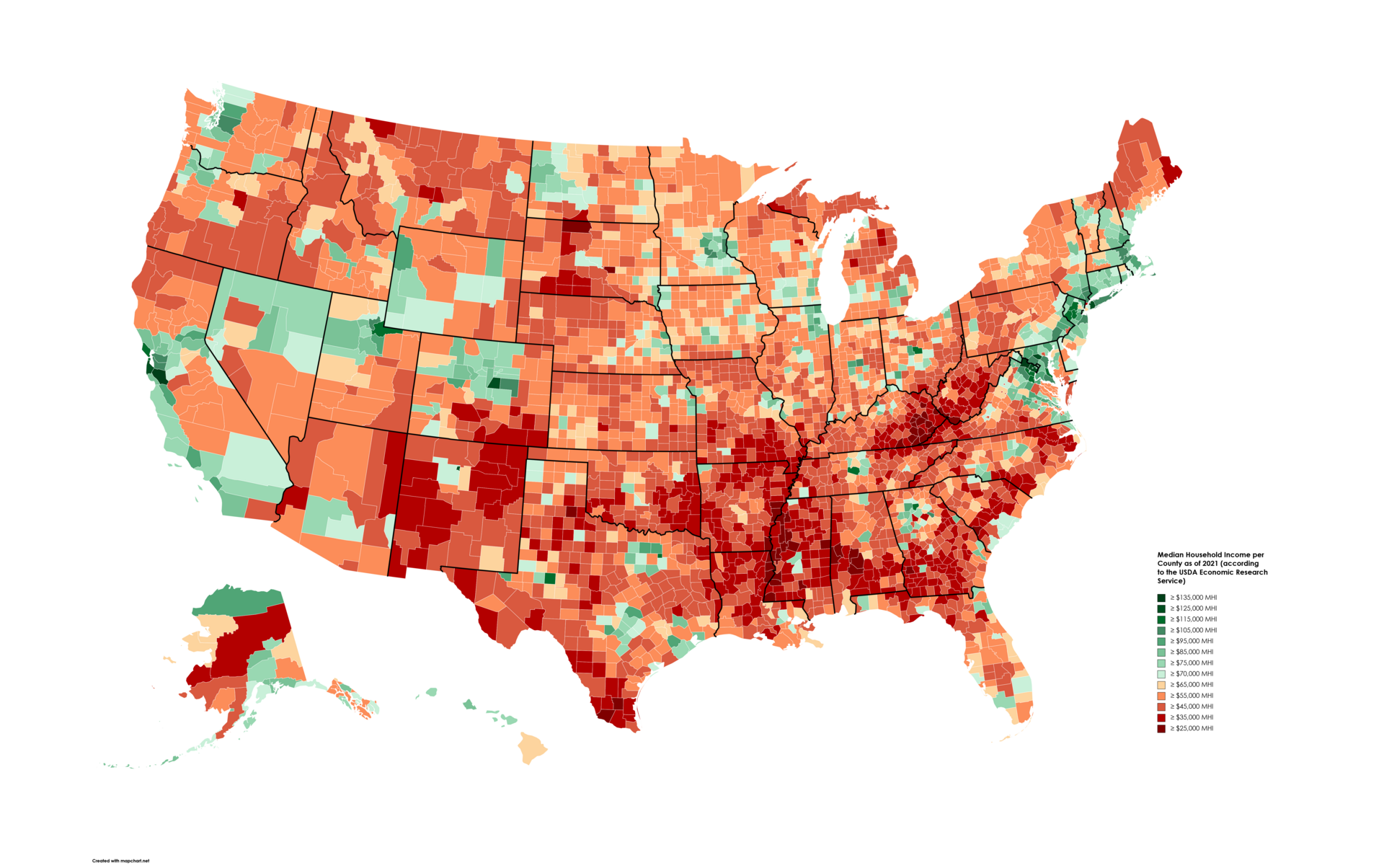
This is a good map but needs supporting
information to better understand this distribution of income across the
country. Green here indicates higher income.
Figure 4
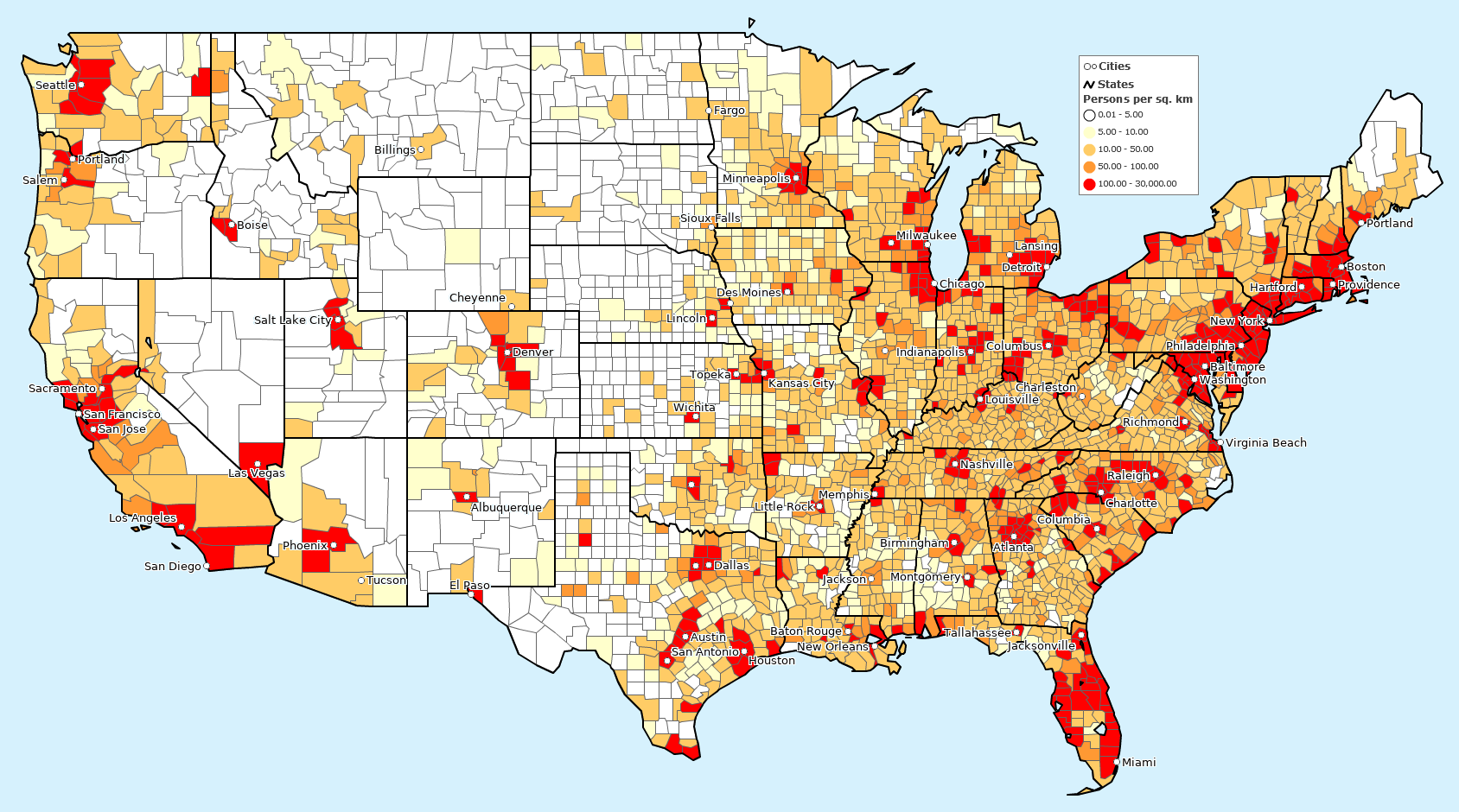
This population density map is in positive
correlation with the map. As in, a higher population density would
ideally mean a greater household income in that county. Lighter colors
indicate greater population density.
Fundamentals of Map Design
Figure 1
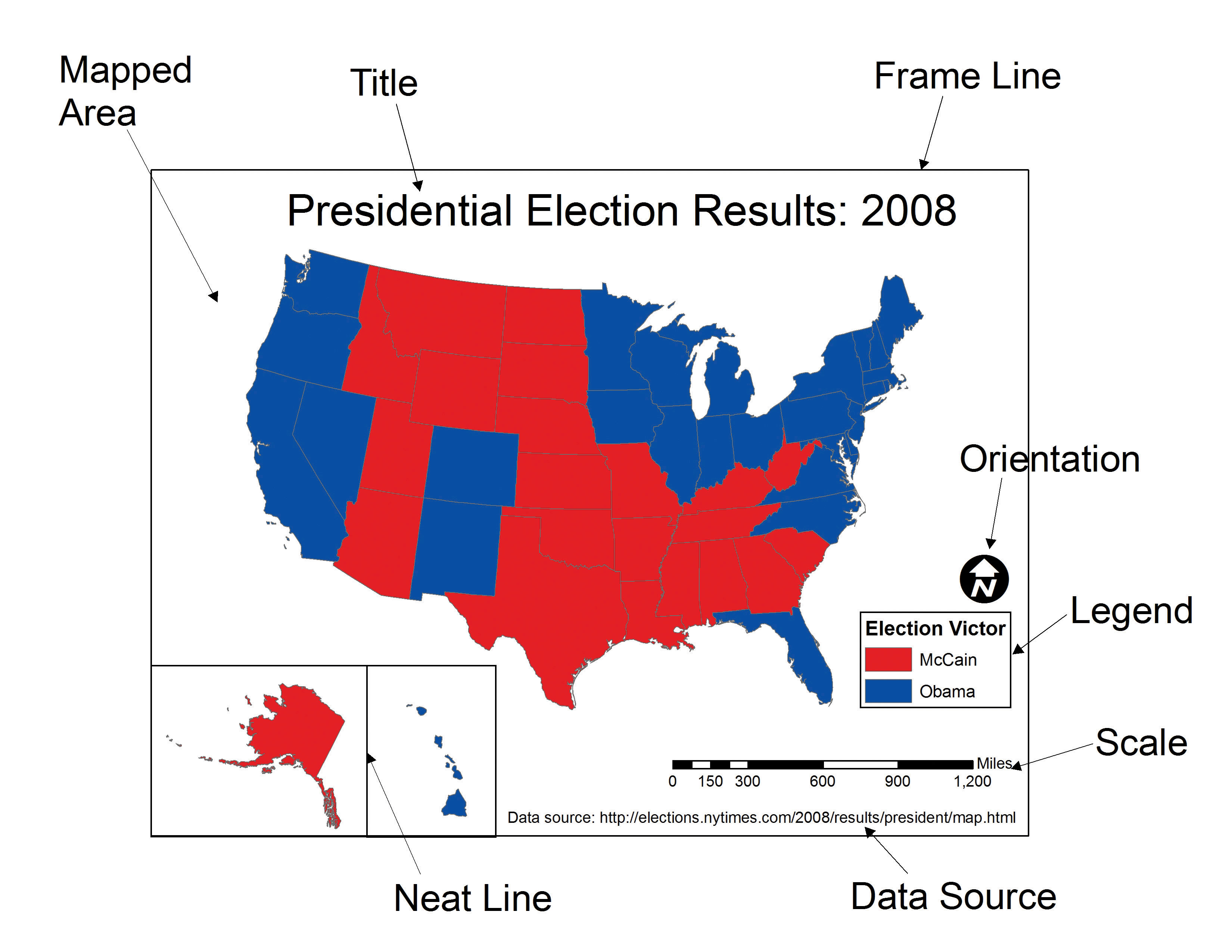
To have every map element is necessary to convey
the correct information to the audience. You do not want to mislead the
audience/observer.
Figure 2
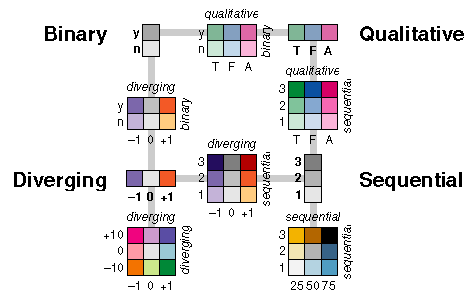
Examples of different color palettes with each
having its own unique usage. If not used correctly, the representation
of a dataset can be inaccurate.
Figure 3
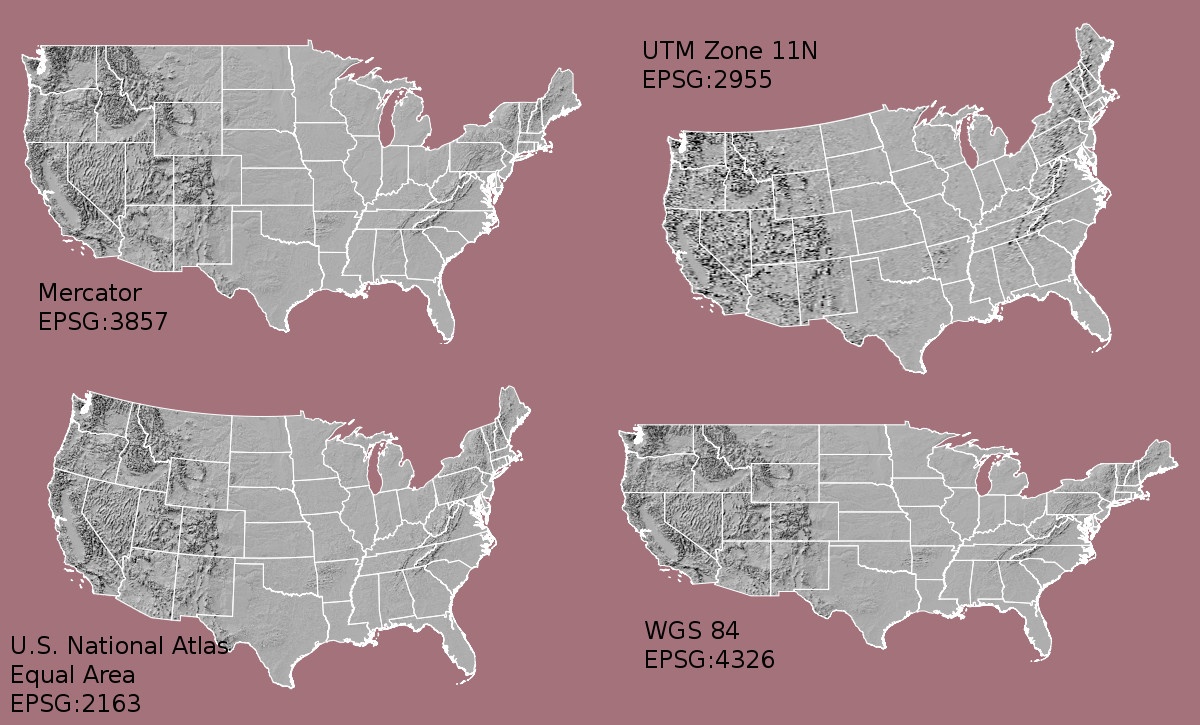
Examples of different projections and their
names with each having its pros and cons. Each have their own usage to
best represent a specific data.
Figure 4
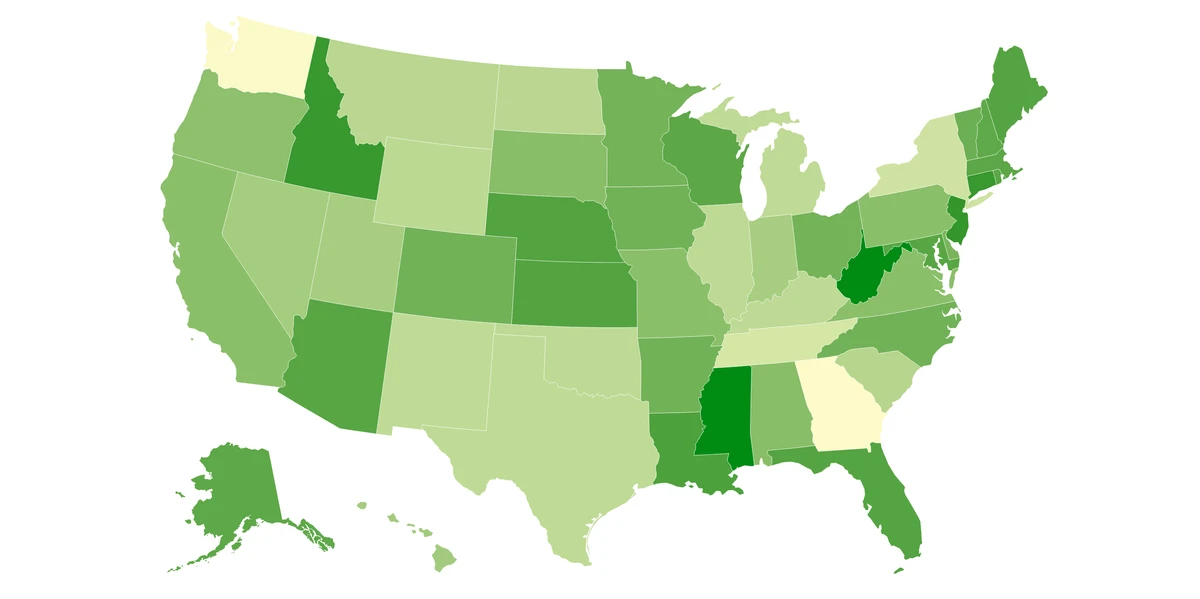
A map different states in the USA as shades of
green.
Figure 5
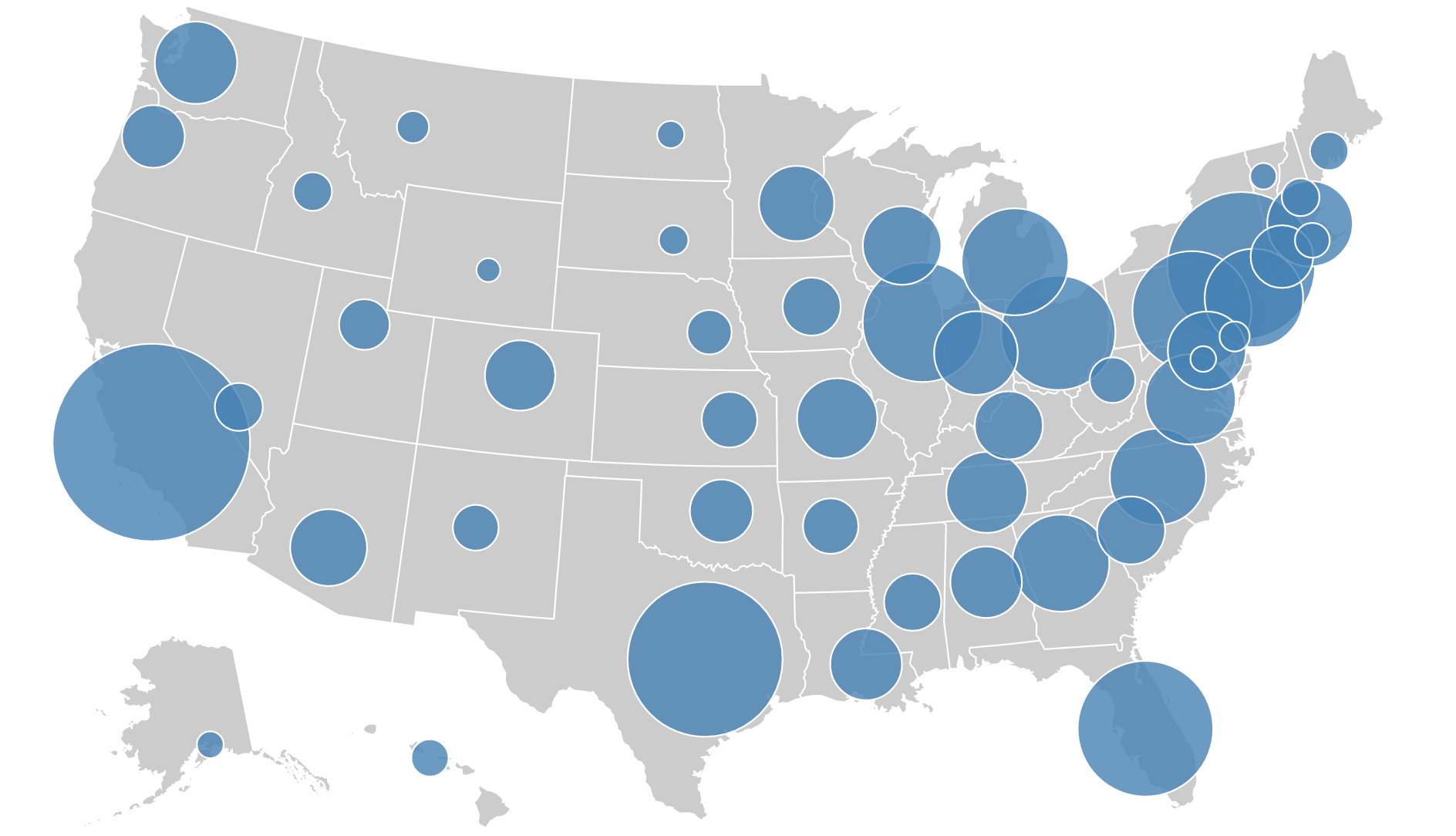
A map showing varying sizes of circles as a
function of population in the USA. Bigger the circle means more
population.
Figure 6
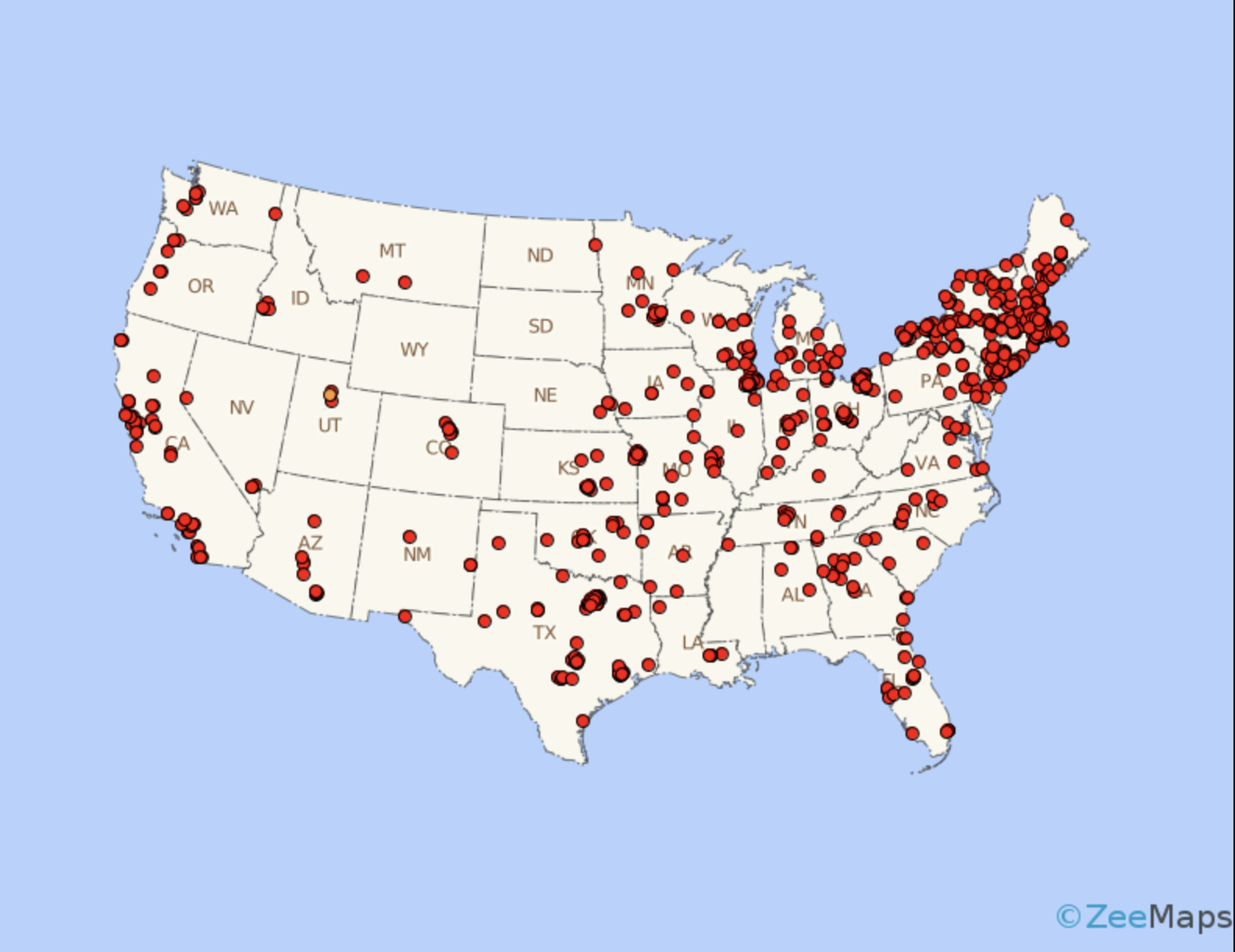
A map showing density of a variable as a
function of number of dots in an area in the USA. More dots in an area
means a greater influence of that variable.
Figure 7
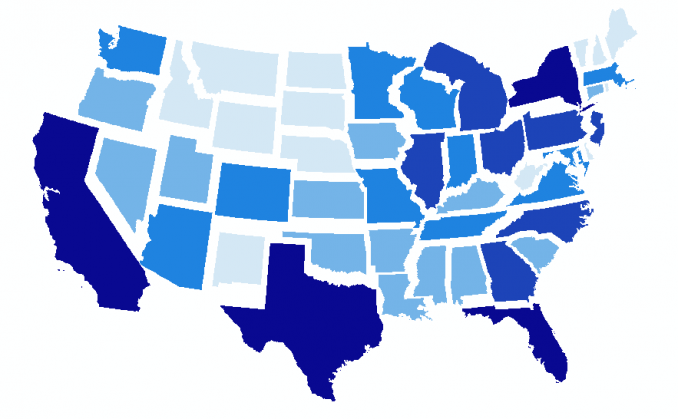
A map different states in the USA clearly
separated by a gap in order to avoid distortion such that recognizable
shapes can be made. This looks good visually.
Figure 8
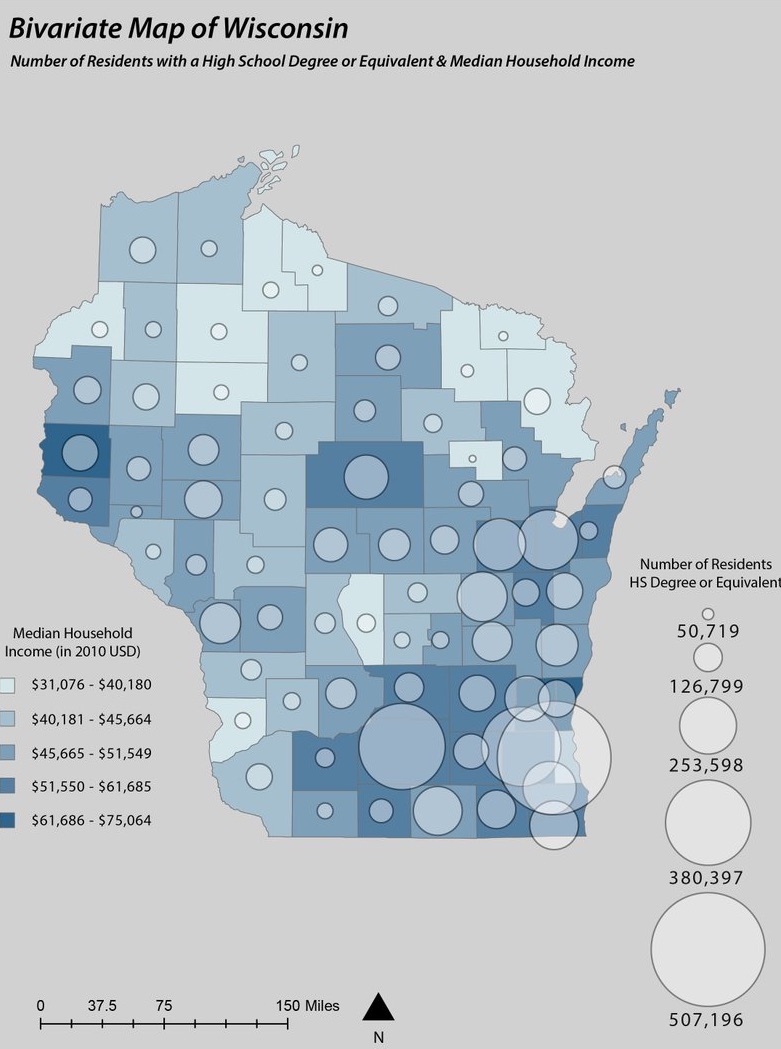
A map showing both choropleth and dot density
being implement with each showcasing a different variable best suited to
it.
Figure 9
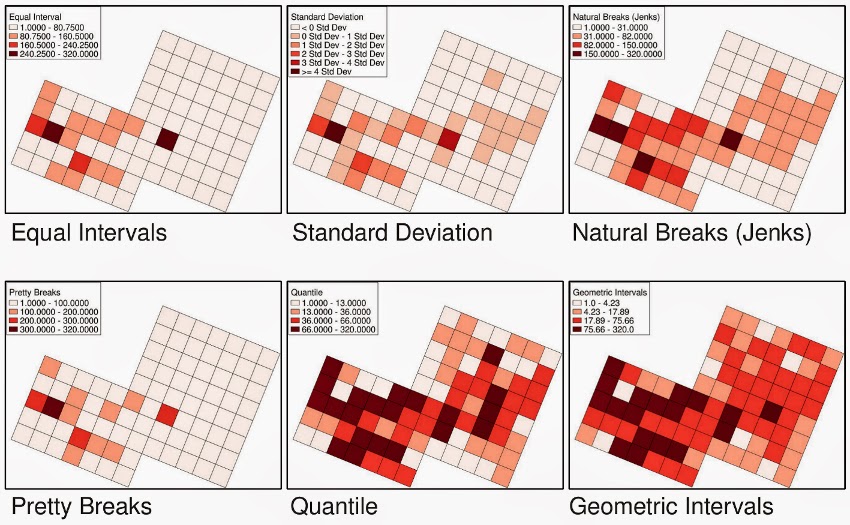
See how choropleth map is effected when using
different classifications. Each classification as a certain use case
scenario.
Getting Started with QGIS: Your First Map
Figure 1
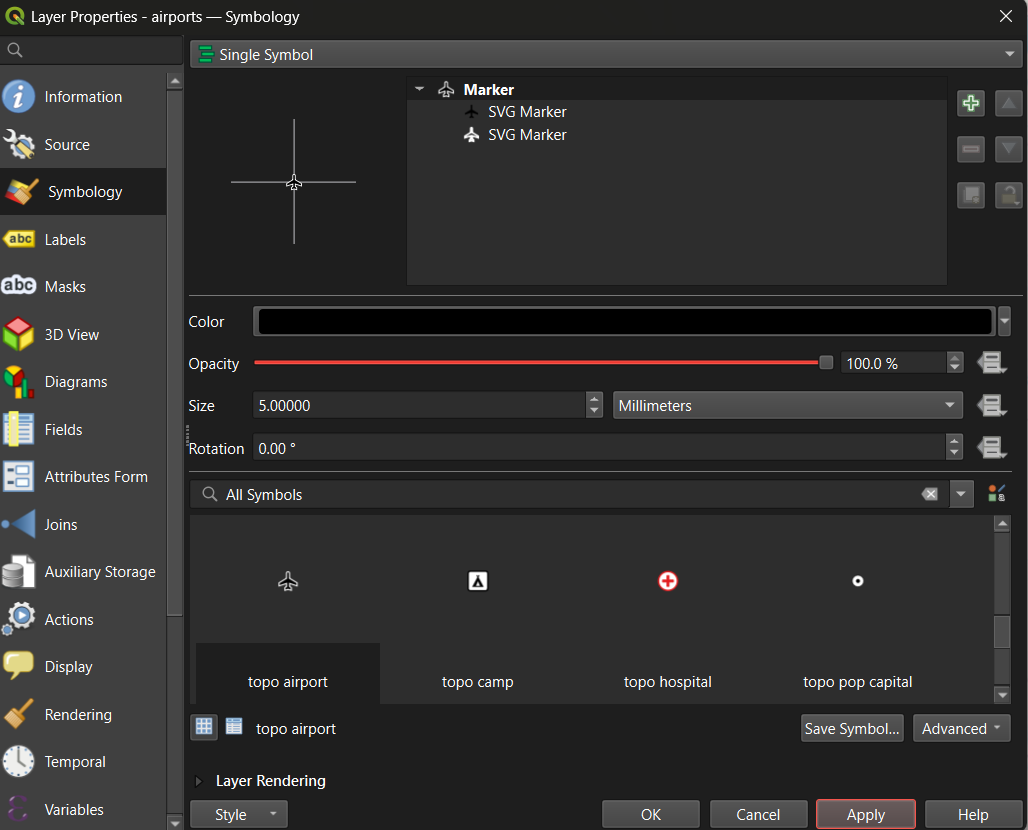
You can change marker size, symbols,
transparency etc. Make your map visually good such that it is clear to
viewer!
Figure 2
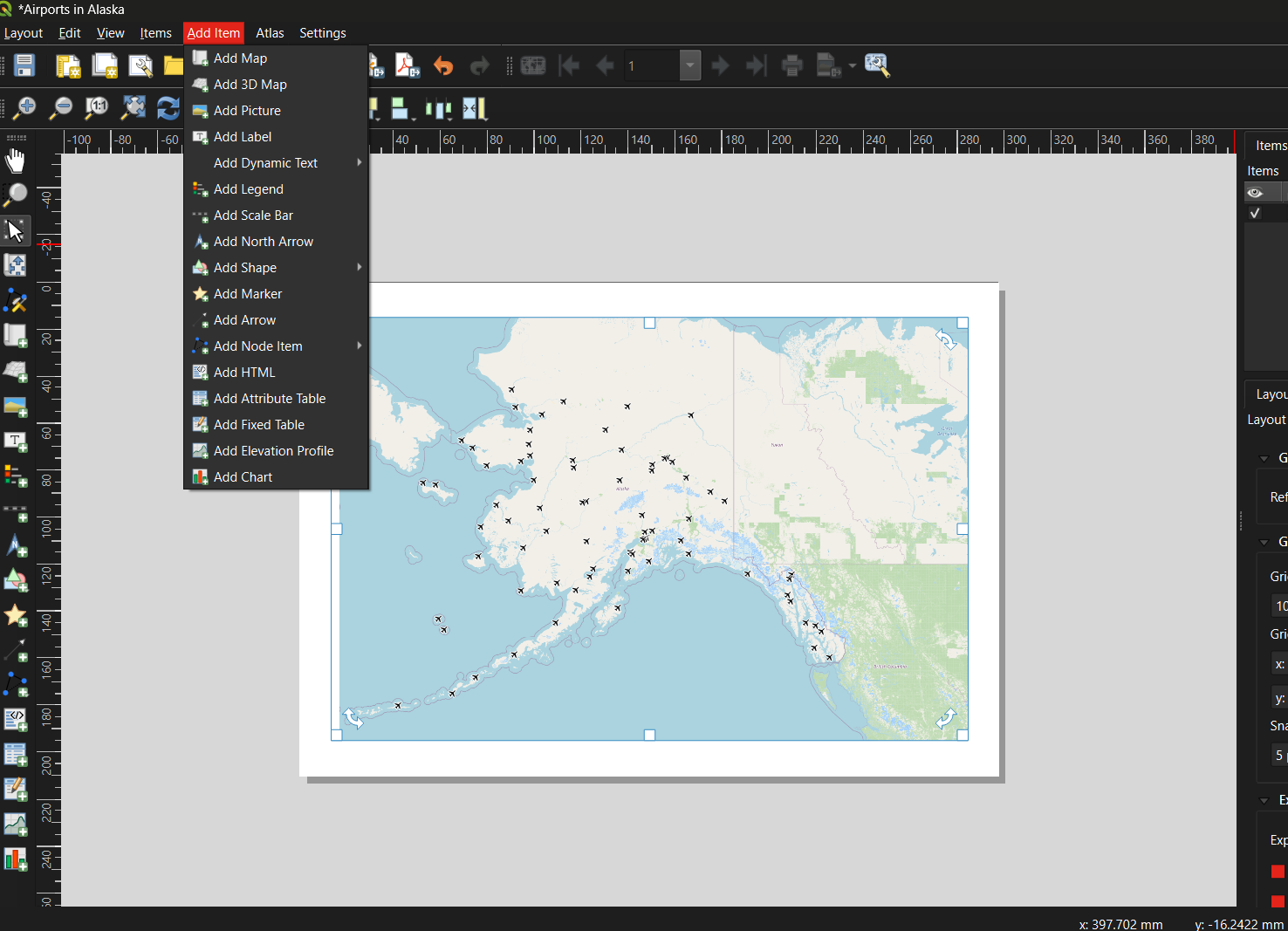
Add all the necessary map items as mentioned in
the previous module. Your map needs to convey information as clearly as
possible.
Figure 3
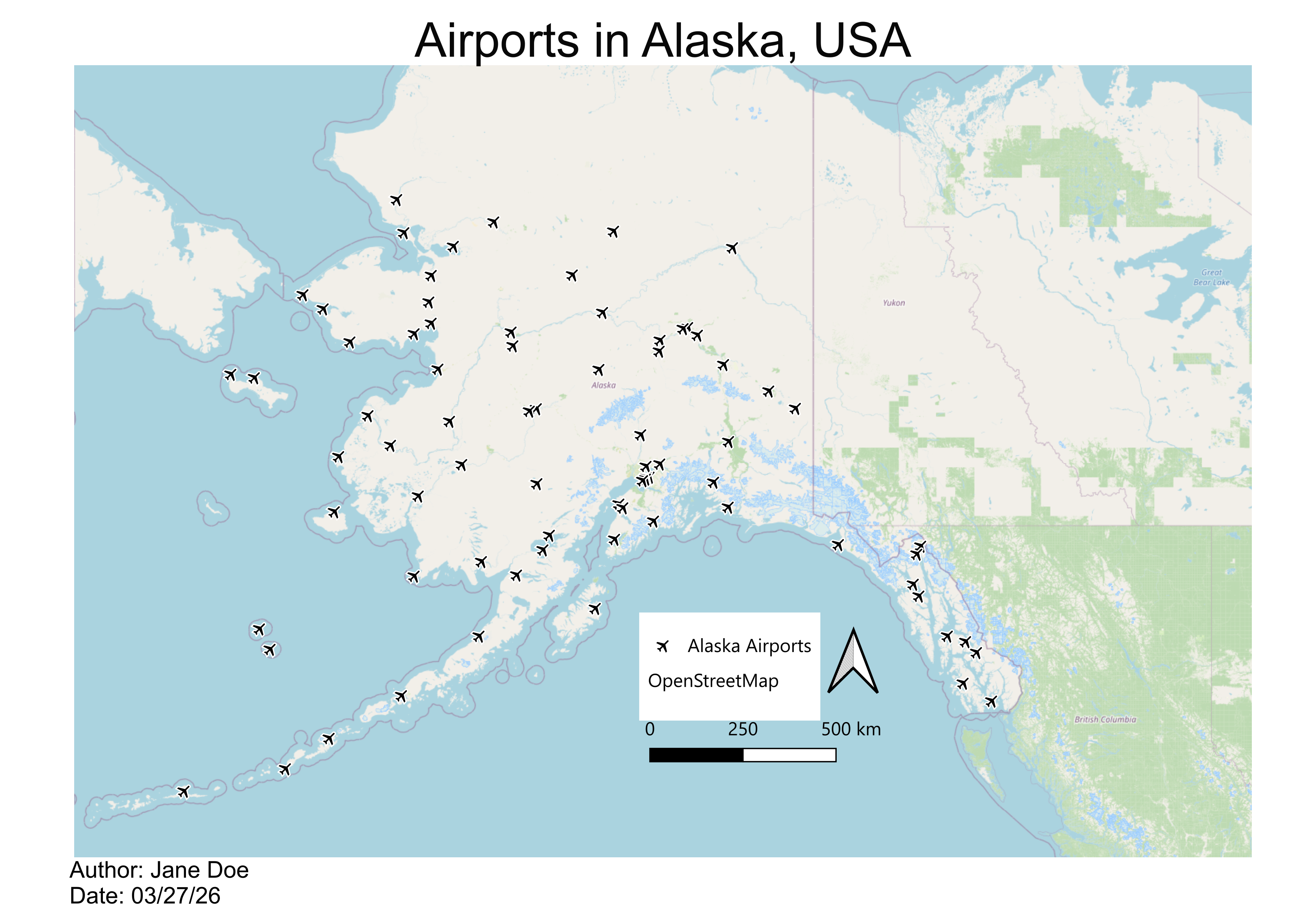
This is the map we came up with for representing
Airports in Alaska.