
Summary and Setup
Analysis of Sentinel-2 satellite imagery in QGIS: vegetation mapping with NDVI and flood mapping with false color composites and NDWI.
This module was taught as part of the Purdue-NSF GIS Cybertraining for the Social Sciences Workshop, a two-day workshop held at Purdue University in 2026 (Day 1, Session A QGIS track, part 3). See the Workshop 2026 page for the full program.
It is part of Enabling the Geospatial Turn in the Social Sciences, a set of training modules developed at Purdue University with support from the National Science Foundation.
What You Need for This Session
Session 3A analyzes Sentinel-2 imagery (NDVI and flood mapping). The images are provided in the workshop Google Drive, so you do not need data from Session 2A. Make sure you have the following ready before the session begins.
Accounts
- Copernicus Data Space: for accessing Sentinel-2 imagery. If you have not yet registered, create a free account at https://dataspace.copernicus.eu.
Data
-
Sentinel-2 image for the NDVI exercise: download
the ZIP file
S2B_MSIL1C_20260617T170849_N0512_R112_T14SPG_20260617T203803.SAFE.zipfrom the workshop’s participant resources Google Drive under Day 1_Session 3a: Basic raster functions. Save it to a new folder on your desktop called NDVI_Analysis locally.
Background Reading
The following article provides useful context on the satellite imagery sources and elevation products we use in this session:
Lindsay I, Mkrtchyan A. Free and Low-Cost Aerial Remote Sensing in Archaeology: An Overview of Data Sources and Recent Applications in the South Caucasus. Advances in Archaeological Practice. 2023;11(2):164-183. https://doi.org/10.1017/aap.2023.3
Two figures from this article are especially relevant to our session:
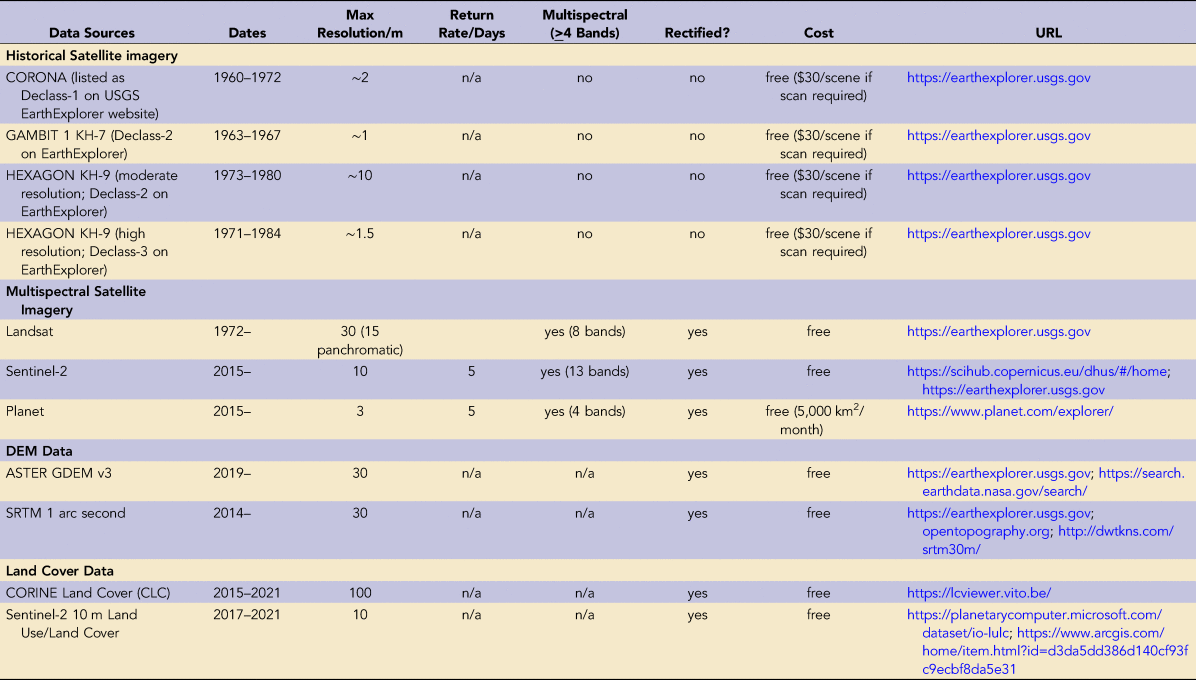
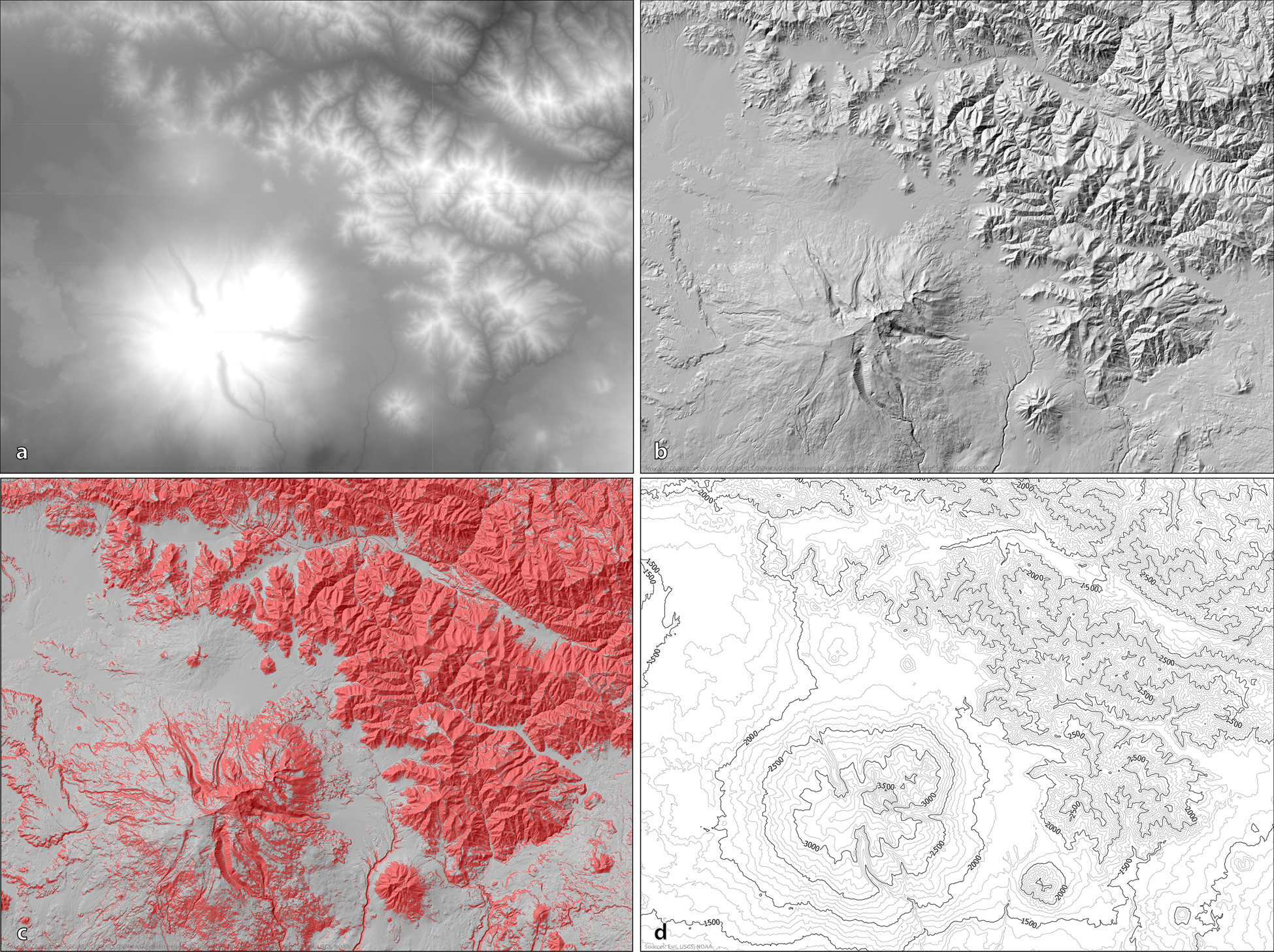
These examples illustrate the range of analysis you can perform with freely available satellite and elevation data: the same tools and data sources we use in this workshop.